
TL;DR. QuickBooks was not built for true fund accounting, but it is the general ledger most private funds run, and the manco GL for about half the fund teams we interviewed in 2026. You can simulate fund accounting with Class tracking and bank sub-accounts. For investment funds it breaks at multi-entity allocation, fund-level balance sheets, and the audit trail.
There are two different things people mean by fund accounting in QuickBooks. One is the nonprofit version: grants, donors, restricted funds, GASB. The other, the one a controller at a PE, VC, or credit fund is usually after, is running fund accounting when "fund" means Fund I, Fund II, a string of SPVs, the GP, and a management company. This post is about that second meaning: the setup is real and worth knowing, and so is the point where it stops holding.
Two different "fund accountings" first
Nonprofit fund accounting tracks money by restriction. A donor gives to a specific program, the cash carries a string attached, and the books prove the restricted dollars went where they were promised. That is what every other guide to fund accounting in QuickBooks explains, and it is correct for a 501(c)(3).
Investment fund accounting tracks money by entity and by who bears the cost. A management company pays for something shared, and the books split that cost across the fund vehicles, the GP, co-invest SPVs, and the manco itself, each by the basis the LPA permits, then post an intercompany entry between them. The hard object is not a restricted balance. It is one expense that has to land correctly on eight sets of books at once.
Both are "fund accounting." QuickBooks handles the first one passably with the workaround below. The second one is where it gets interesting, because the same workaround is what every other guide recommends, and it is exactly what breaks.
How do you do fund accounting in QuickBooks today?
The standard approach, the one Intuit's own help docs and every guide describe, has three moves.
Turn on Class tracking and make each fund a Class. Class tracking lives in QuickBooks Online Plus and Advanced, and in QuickBooks Desktop. The base QuickBooks Online tiers do not have it, so the version answer matters before you start: you need Plus at minimum. Once it is on, you tag every transaction with a Class, and each Class stands in for a fund or vehicle.
Create bank sub-accounts per fund. To keep each fund's cash visible inside one parent bank account, you set up a sub-account per fund. Deposits and payments get coded to the right sub-account, and the parent rolls them up.
Add a second dimension for sub-fund detail. When a single Class is too coarse, you tag transactions with a Customer or a Project alongside the Class. For a fund, that second dimension usually carries the portfolio company or the deal, so you can read spend by fund and by deal at the same time.
This works. For a small structure with a handful of vehicles and clean, single-fund expenses, it is a reasonable way to keep books inside a tool you already own. The trouble starts when an expense does not belong to one Class.
The reports it depends on and the balance sheet problem
The whole workaround lives or dies on three reports. Profit and Loss by Class shows income and expense per fund. Budget vs Actual by Class tracks each fund against plan. Balance Sheet by Class is supposed to give you a per-fund balance sheet.
That third one is where QuickBooks tells on itself. Balance Sheet by Class does not allocate header and shared accounts to a Class automatically. Opening balances, transfers between funds, and any transaction that touches more than one Class can land in an "unclassified" column, and the per-fund columns stop tying out. Intuit's own guidance acknowledges it: header accounts do not perfectly allocate by Class, and true fund-balance tracking needs manual reconciliation or an export into another tool.
For a nonprofit, you can often live with that. For an investment fund, you cannot. LPs expect a clean balance sheet at the fund level, and so does your auditor. A balance sheet that needs a human to reconcile the inter-fund lines every quarter is not a fund-level balance sheet, it is a draft of one. This is the first structural breakage, and it is the one those guides almost admit before changing the subject back to churches.
Where does the QuickBooks workaround break for investment funds?
Classes can tag a fund. They cannot run an allocation across funds. That distinction is the whole game, and it is the one no other guide addresses, because no other guide on this topic is written for investment funds.
Here is the gap in numbers. Across 80 PE and VC fund finance teams we interviewed in 2026, 96% named multi-entity allocation a core complexity (77 of 80), and 92% were running their allocations across systems that do not talk to each other (74 of 80). The expense or AP tool sits on one side, QuickBooks sits on the other, and a spreadsheet sits in the middle doing the actual split. 81% were still allocating in Excel (65 of 80). The Class workaround does not change any of that. It tags the result after a human has already computed it somewhere else.
Walk through why. A shared cost arrives, say a $40,000 bill that benefits three funds and a co-invest SPV. To put it in QuickBooks by Class, you first have to decide the basis (committed capital, invested capital, deal-by-deal), compute each entity's share, then enter the split as separate lines coded to separate Classes, then book the intercompany due-to and due-from so the cash that left the manco gets reimbursed by the funds. QuickBooks will hold those entries once you have made them. It will not compute the methodology, it will not keep the methodology consistent across quarters, and it will not generate the intercompany leg for you. One operator put the manual version plainly: "I do all of our build backs and intercos manually. Literally look at the expense report and put it into an Excel sheet. It takes me an entire day at the end of the quarter." That is the workaround working as designed. The full dataset is in the fund finance tech stack report, and the wider picture is in the state of fund expense allocation.
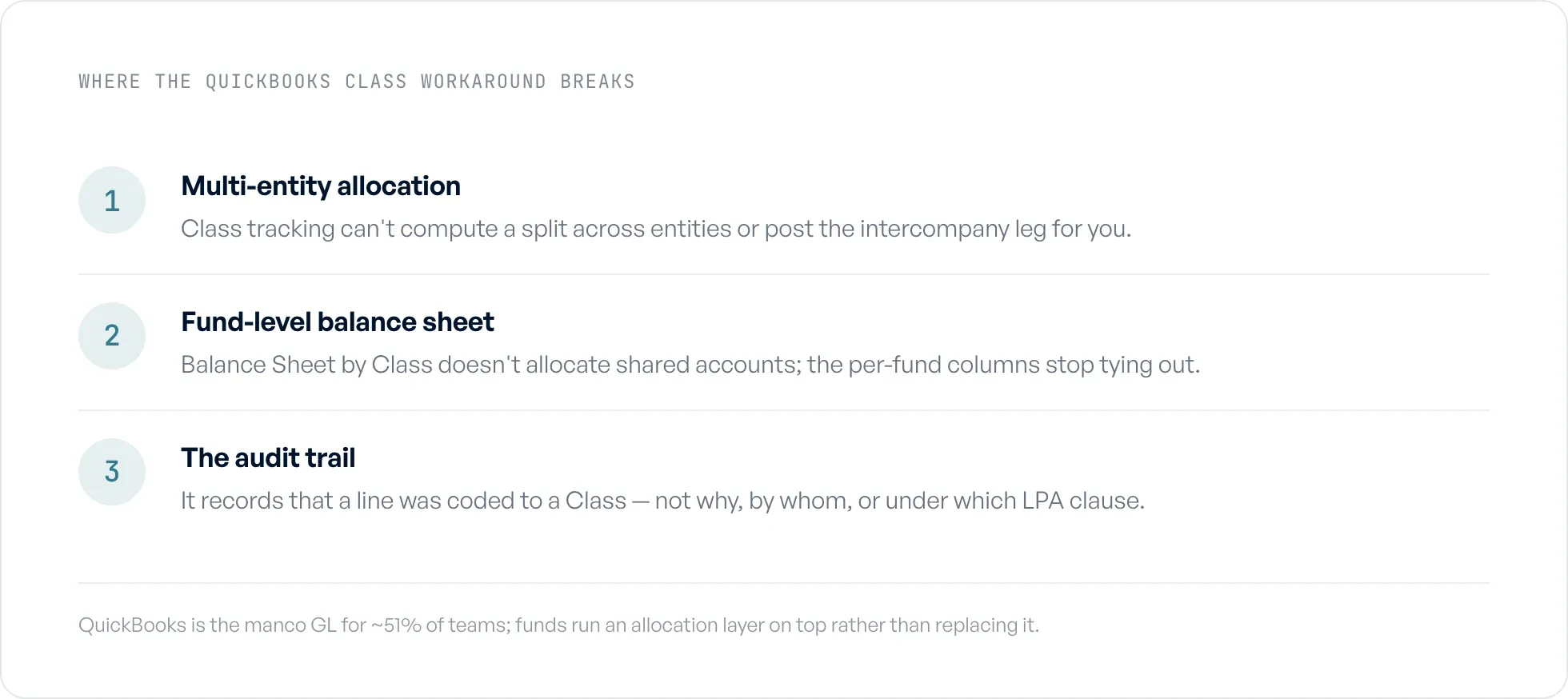
Three places the QuickBooks Class workaround breaks for funds.
When the workaround breaks, the next step is dedicated tooling: here is how to choose fund accounting software.
The hardest split QuickBooks cannot do: legal-invoice allocation
The single expense that exposes the Class workaround fastest is an invoice from outside counsel. 63% of the teams we interviewed named legal-invoice allocation one of their hardest problems (50 of 80).
A legal invoice is not one expense. It is dozens of time entries across several matters, and a single matter can touch several funds, the GP, co-invest vehicles, and the manco, with a different basis per line. One PE controller we interviewed tracked more than 2,800 invoice line items by hand in a single year, in a spreadsheet that had been running for seven years. Single invoices in that book split across eight or more funds, with one example reaching thirteen vehicles, all by manual copy and paste out of the AP tool. A $113,000 audit invoice had to be split and then paid across multiple funds by cash availability.
There is no Class tracking answer to that. You cannot tag a 25-line invoice with one Class, and tagging each line one Class at a time still leaves you computing every split in Excel first and rebuilding the intercompany entries by hand. The work QuickBooks asks of you here is the work, and the tool does none of it. More on the pattern in the legal-invoice allocation benchmark.
Audit trail and SEC exam readiness
QuickBooks gives you an activity log. It does not give you an allocation audit trail. Those are different things, and the difference is what an examiner asks about.
An allocation audit trail answers: this expense was split this way, on this basis, because the LPA permits it, approved by this person, on this date, with the invoice attached. The Class workaround records that a line was coded to a Class. It does not record why the percentage was what it was, or who approved it, or which clause in the fund docs supports it. In our 2026 data, 49% of teams had a gap in their allocation audit trail (39 of 80). The SEC's Division of Examinations has named fee and expense allocation a standing priority for private fund advisers, so for a registered adviser this is not a someday risk. It is the question you should assume gets asked. Detail in the audit-trail gap benchmark.
"Build your own audit trail," which is the honest summary of what QuickBooks offers here, is a fine answer for a nonprofit. For an RIA in an exam, building it after the fact, from a coded ledger and a folder of PDFs, is the fire drill teams describe to us most.
What does the workaround actually cost?
The cost shows up as time, and it concentrates at the close. Teams told us they spend one to five days a quarter on allocation alone, with legal invoices the most expensive because every line needs a judgment before it can be split.
The clearest before-and-after we have: a multi-billion-dollar fund replaced roughly ten days of manual allocation and reconciliation inside its close with a one-to-two-hour automated run, taking five to ten days off month-end. No incumbent tool in this category publishes a close-time number, so as far as we can tell that is the first benchmark of its kind. See the fund close-time benchmark for the full figure. The point for a QuickBooks shop is narrower: those ten days were not spent inside QuickBooks. They were spent in the spreadsheet that feeds QuickBooks, which is precisely the layer the Class workaround leaves untouched.
The close-focused end of that tooling is compared in financial close software for funds.
You don't have to replace QuickBooks
The nonprofit-software vendors all reach the same conclusion: QuickBooks is not real fund accounting, so rip it out and buy a dedicated package. For investment funds that advice is backwards. QuickBooks is the right GL for your management company, and for many of the funds we see it is the right GL for the whole stack. The problem was never the ledger. The problem is that the allocation has to happen somewhere, and QuickBooks is not that somewhere.
So keep QuickBooks. Move the allocation out of the spreadsheet and into a layer that does the part Classes cannot: read the invoice or expense, apply one methodology per line the way the LPA supports it, generate the intercompany entries, and write the result back to the GL with the rationale attached. The ledger stays. The manual split goes. You outgrow the spreadsheet, not QuickBooks.
Where does Ceviche fit?
Ceviche is the allocation layer that sits between the spend systems funds already run (Ramp, Bill.com, Brex, Expensify, SAP Concur) and QuickBooks. It applies the firm's allocation methodologies per the LPA, books the intercompany entries, and writes audit-ready journal entries back into QuickBooks with the support attached, so the ledger you have keeps doing the job it is good at. Flybridge runs it across 18+ fund entities on QuickBooks Online and Bill.com. You can see how Ceviche handles fund expense allocation.
Frequently asked questions
What comes under fund accounting? For an investment fund, fund accounting covers tracking each vehicle's capital, investments, income, and expenses separately, and splitting shared costs across the funds, the GP, co-invest vehicles, and the management company by a documented methodology. For a nonprofit, it instead means tracking money by donor restriction. Same phrase, two different jobs.
How to set up fund accounting in QuickBooks Desktop? Turn on Class tracking, create a Class for each fund, and set up bank sub-accounts per fund so each vehicle's cash is visible inside one parent account. Tag every transaction with its Class, and add a Customer or Project for deal-level detail. Then run Profit and Loss by Class to read each fund. For investment funds this holds until an expense has to split across entities, which Class tracking cannot compute or post for you.
Is fund accounting hard to learn? The mechanics are not hard. Coding transactions to a Class or running a P&L by fund is straightforward. The hard part is the judgment: which basis a given expense should use, what the LPA permits, and how to keep that consistent and documented across dozens of entities every quarter. That judgment, not the data entry, is what makes the work slow.
What is the difference between fund accounting and nonprofit accounting? Nonprofit accounting is one application of fund accounting, where "funds" are donor-restricted pools and the goal is proving restricted money was spent as promised. Investment fund accounting uses the same term to mean accounting by legal entity across a fund complex, where the goal is allocating shared costs correctly and producing fund-level financials for LPs and auditors.
Can QuickBooks Online handle fund accounting for an investment fund? Partly. QuickBooks Online (Plus or Advanced) is the management-company GL for nearly half the fund finance teams we interviewed, so it is a fine ledger. With Class tracking it can simulate fund accounting. It breaks at multi-entity expense allocation, at producing a true fund-level balance sheet, and at the audit trail an SEC exam expects. For those, funds run an allocation layer on top of QuickBooks rather than replacing it.
Do you have to replace QuickBooks to do fund-level allocation? No. The allocation problem lives between your spend tools and your GL, not inside the GL, which is why 81% of the teams we interviewed still run allocations in a spreadsheet beside QuickBooks. Adding a layer that computes the split, books the intercompany entries, and writes them back to QuickBooks solves it without a migration. Flybridge did exactly that on its existing QuickBooks Online stack.